Independent corrections. Practical setup support.

CLAAS RTK and NTRIP compatibility

Use RTK Solutions corrections with compatible CLAAS GPS PILOT equipment. We check your terminal, receiver, activations and connection before recommending a farmer-owned base or Base-Free RTK.

Your machinery. A supported connection.

RTK for your CLAAS setup.

Looking for a CLAAS RTK subscription or a farm base for a mixed fleet? The right starting point is the guidance equipment fitted to your machine.

Whether you run an ARION, AXION, XERION or a CLAAS harvester, tell us the machine model and the installed terminal and receiver. Different generations can need different activations, correction formats and connection hardware.

We supply the correction service and setup support. Your CLAAS guidance system continues to control the machine.

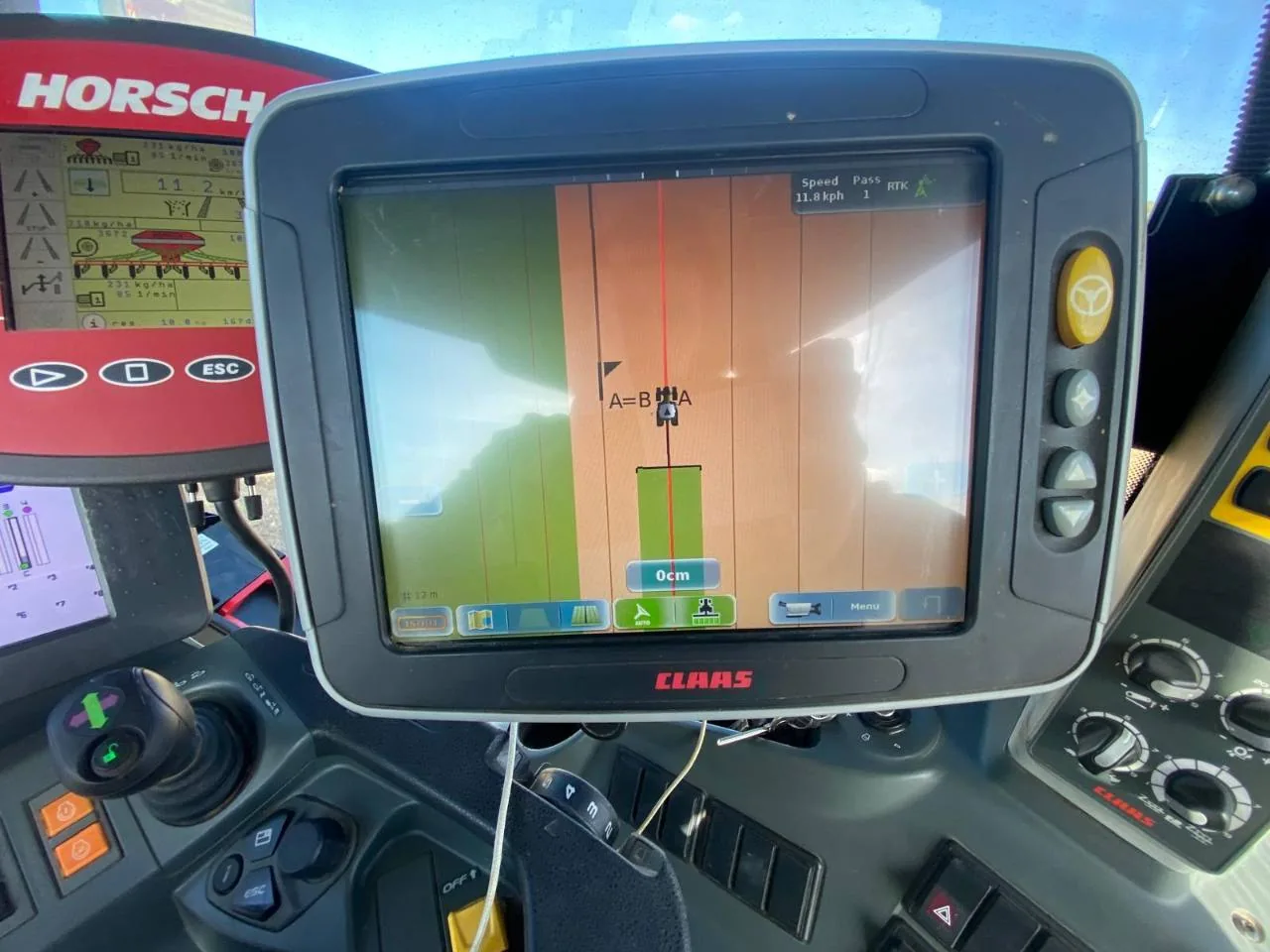
CLAAS guidance terminal in a tractor cab showing field guidance lines and RTK status
CLAAS guidance terminal displaying RTK status during fieldwork.

Which CLAAS guidance system do you have?

CEMIS 1200 and SAT 900

CLAAS pairs CEMIS 1200 with the SAT 900 GNSS receiver. This generation supports different correction options, including RTK NET and satellite-delivered SATCOR services.

For an independent NTRIP connection, we check RTK activation, software, communication hardware and whether the installation accepts the required external correction settings.

CLAAS CEMIS 1200 / SAT 900 information (German).

S10, S7 and earlier GPS PILOT

CLAAS documentation describes S10/S7 GPS PILOT systems with RTK and mobile-network RTK NET options. The fitted receiver, modem and licences determine what an individual machine can use.

Send a photo of the terminal, the receiver label and current correction settings. For earlier or retrofitted equipment, we check the exact components before recommending a connection.

CLAAS AXION brochure: steering systems (English PDF, pages 52–53).

What we check before connecting

  1. Your equipment: machine model, terminal, GNSS receiver and software version.
  2. RTK readiness: active RTK licences and any manufacturer unlocks still needed.
  3. Correction connection: a suitable modem or gateway, NTRIP access and a supported RTCM format.
  4. Your working area: correction coverage, distance to a suitable base and mobile data availability.
  5. Field setup: RTK FIX, correction age, antenna offsets and a check against existing guidance lines.

We distinguish the RTK Solutions subscription from any CLAAS activations, additional hardware or mobile data that your machine still needs.

Two ways to get connected

Multiple compatible machines

Your own managed farm base

£2,995 + VAT, including year one

You own the UK-built base station. We remotely configure it, calibrate its position against the Ordnance Survey network and manage its connection.

From year two: £199 + VAT per base, per year, including network access, monitoring, updates and support. Multiple compatible CLAAS and other-brand machines can use the service.

Explore farm base stations

One tractor or mobile working

Base-Free RTK

£400 + VAT / tractor / year

Receive corrections through our supported partner network without installing a base on your farm. Each tractor needs its own licence.

We check your equipment and working area, with a free trial available before an annual commitment. Mobile data is separate; an optional multi-network SIM is £90 + VAT per tractor per year.

Ask about a Base-Free trial

CLAAS RTK questions

Can I use RTK Solutions with CLAAS CEMIS 1200?
Compatible RTK-enabled installations can be considered. We check the SAT 900 receiver, active licences, software and the modem or correction input before confirming that our NTRIP service is suitable.
Can an older CLAAS S10 or S7 system use NTRIP?
Some installations have mobile RTK capability, but the display name alone does not confirm it. Send the receiver model, current correction source and modem details so we can check the route for external corrections.
Is SATCOR the same as an NTRIP RTK subscription?
No. SATCOR is a satellite-delivered correction service. NTRIP delivers RTK correction data over an internet connection. Switching may require receiver activation, compatible communication hardware and configuration.
Can a CLAAS tractor share a farm base with other brands?
Yes, where each machine accepts the compatible NTRIP RTK stream. The managed farm-base subscription is per base, not per tractor. Each receiver and working area is checked separately; Base-Free licences are per tractor.
Do I need to replace my CLAAS guidance system?
Not necessarily. If your existing receiver and correction connection are compatible, we supply corrections for that setup. We identify any required manufacturer activation or additional modem before you commit.
Will my saved guidance lines stay in the same place?
Before changing correction source, save your existing guidance data and check a known line or point. Base coordinates, reference frames, receiver settings, antenna offsets and steering calibration can all affect alignment. We help check the correction setup; machinery calibration may need your CLAAS dealer.

Let’s check your CLAAS equipment.

Send your terminal and receiver details, current correction source and the areas where you work. We’ll help identify a suitable RTK option.

Reviewed 15 October 2026. Compatibility depends on the installed receiver, licences, software and connection hardware. Accuracy and availability depend on equipment, calibration, satellite visibility and local conditions. RTK Solutions is an independent correction provider, not affiliated with or endorsed by CLAAS.